
Blog
What to Look for in Drum Carder Product Photos
Jul
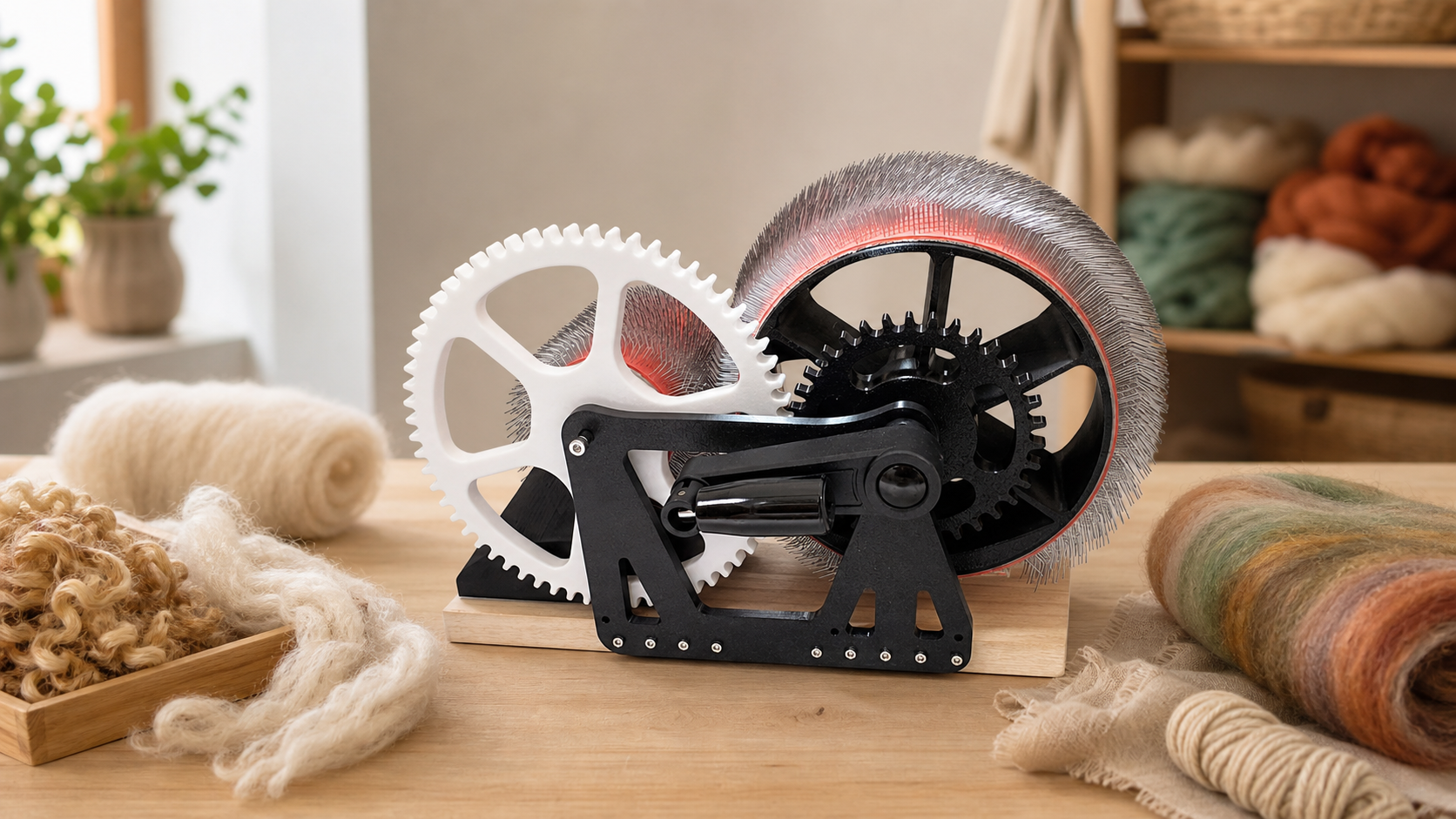
Quick answer: when deciding what look drum carder product photos should show, do not stop at a pretty front view. Useful photos should help you judge the carding cloth, drum surface, feed area, handle position, batt removal space, included tools, scale, and the kind of fiber results the carder is meant to support.
Product photos are part of the buying decision, especially for a hands-on fiber tool. A drum carder is not only a decorative object on a bench. It has working surfaces, moving parts, clearance needs, and fiber contact points. The right photos reduce uncertainty before you compare models, ask questions, or decide whether a compact carder fits your studio routine.
For the product referenced on this site, review the DrumCarder Studio Fiber Carder. You can also start from the DrumCarder home page if you want the broader site path before looking at policy pages and support details.
Start With The Working Surfaces
The most helpful product photos show the areas that touch fiber. Look for clear views of the main drum, smaller intake drum, carding cloth, and feed path. You should be able to see whether the carding surface appears clean, evenly installed, and suitable for the kind of wool, alpaca, or blending work described on the page.
A distant lifestyle photo can make a carder look appealing, but it does not answer practical questions. If you cannot see the cloth, drum spacing, or how fiber enters the tool, you may need to ask for more detail before buying. The photo should make the workflow easier to imagine.
Check Scale And Bench Fit
Scale is easy to misread online. A useful product photo gives you some sense of size, either through a bench, hands, fiber piles, or finished batts. A compact carder still needs room for feeding, turning the handle, removing the batt, and cleaning between projects.
Look at the handle side. Does the photo show enough clearance for normal turning? Does the setup appear stable? Can you imagine where your fiber, doffer, brush, and notebook would sit? A product image should help you picture the full session, not just the tool sitting still.
Look For Result Photos
Finished batt photos matter because they show the kind of preparation the seller expects the tool to support. Look for batts that are relevant to your goals: plain wool, blended colors, textured art batts, alpaca blends, or small studio samples. A good result photo does not need to promise perfection. It should show realistic fiber output.
Pay attention to the connection between tool and result. If the page shows dramatic finished batts but never shows the carder working with fiber, the visual story is incomplete. If it shows only the empty machine, you still need to know how fiber behaves during and after use.
Inspect Details Before You Decide
Photos can also show small practical details: clamps, base, handle grip, batt removal tools, brush, and any accessory layout. These details affect daily use. A carder can be a good fit on paper and still feel frustrating if the photos leave you guessing about setup or cleanup.
Use photos together with written information. A clear image is helpful, but it should be supported by product copy, shipping details, return terms, and a contact path. Before ordering, it is reasonable to review the shipping policy, the refund and returns policy, and the contact page.
FAQ
How many product photos should a drum carder page have?
There is no fixed number, but one photo is rarely enough. A useful page should show the full tool, working surfaces, scale, handle side, and sample fiber results. Extra detail views are helpful when they answer real setup questions.
Should I trust a photo with only finished batts?
Finished batts are useful, but they should not be the only visual information. You also need to see the carder itself, especially the drums, feed area, and handle. Results without tool detail can leave important questions unanswered.
What if the photos do not show carding cloth clearly?
Ask before buying. The carding cloth is a key working surface. If the page does not show it well, request a closer view or choose a page that explains the tool more clearly.
Can photos prove a carder will work for my exact fiber?
No. Photos can help you judge fit, but your fiber type, preparation, feed amount, and expectations still matter. If you have an unusual fiber goal, ask a product-specific question before ordering.
Are studio photos better than plain white-background photos?
Both can help. Plain photos are good for inspection. Studio photos are good for scale and workflow. The best product page uses both so you can see detail and imagine use.
A Practical Photo Review Routine
Before making a decision, move through the photos in order. First, identify the tool shape and size. Second, inspect the carding cloth and feed path. Third, look for handle clearance and bench fit. Fourth, study the finished fiber examples. Fifth, check whether the page supports the images with policy links and a way to ask questions.
This routine keeps you from being swayed by the prettiest image alone. A good drum carder photo set should make the product feel understandable, not mysterious. If you can see how it sits, how fiber enters, how a batt comes off, and how support questions are handled, you are much closer to a confident decision.
View The Product Before You Compare
Inspect the DrumCarder Studio Fiber Carder photos, product details, and support links before deciding whether it fits your fiber workflow.